The Quantitative Research Process (Step by Step)
Quantitative research follows a structured, linear process. Here's your roadmap.

Step 1: Formulate Hypotheses
Unlike qualitative research, quantitative research typically tests hypotheses, not just research questions.
Research question format:
- "Is there a relationship between X and Y?"
- "Does X affect Y?"
- "How much does X predict Y?"
Converting to hypotheses:
Research Question: "Is there a relationship between sleep and academic performance?"
Null Hypothesis (H?): There is no relationship between sleep hours and GPA.
Alternative Hypothesis (H?): There is a relationship between sleep hours and GPA.
Good hypotheses are:
- Testable with data
- Specific about variables
- Directional when possible (positive/negative relationship)
- Based on theory or prior research
Want to learn more about qualitative research? Check out our qualitative research guide.
Step 2: Select Your Research Design
Choose the design that matches your research question:
Experimental Design:
- Random assignment to conditions
- Manipulate independent variable
- Measure dependent variable
- Best for: Establishing causation
Quasi Experimental Design:
- No random assignment (existing groups)
- Manipulate or compare conditions
- Best for: Natural settings where randomization isn't possible
Survey Research:
- Collect data at one point in time
- No manipulation
- Best for: Describing populations, examining relationships
Correlational Research:
- Measure two or more variables
- No manipulation
- Best for: Identifying relationships (not causation)
Longitudinal Research:
- Measure same participants over time
- Best for: Tracking change and development
For detailed comparison of research designs, see our research methodology guide.
Step 3: Determine Sample Size
Sample size is critical in quantitative research. Too small = insufficient power; too large = wasted resources.
Power Analysis Method: Use G*Power (free software) to calculate needed sample size based on:
- Effect size: Small (d=0.2), Medium (d=0.5), Large (d=0.8)
- Power: Typically 0.80 (80% chance of detecting real effect)
- Alpha: Typically 0.05 (5% chance of false positive)
- Statistical test: t-test, ANOVA, regression, etc.
General Guidelines:
For t-tests:
- Small effect: approximately 310 per group
- Medium effect: approximately 64 per group
- Large effect: approximately 26 per group
For correlations:
- Small effect: approximately 783 total
- Medium effect: approximately 85 total
- Large effect: approximately 29 total
For regression (multiple predictors):
- Minimum: 10-15 participants per predictor variable
- Better: 20+ participants per predictor
For surveys:
- Population < 100: Survey entire population
- Population 100-1,000: 50-80% sample
- Population > 5,000: 400+ for 95% confidence level
Rule of thumb: When in doubt, bigger is better (within resource constraints).
Confused About Which Statistical Test to Use?
Our research team handles all statistical analysis, from data cleaning to SPSS/R analysis to APA-formatted results tables.
- Complete statistical analysis (SPSS, R, SAS)
- Power analysis & sample size calculation
- APA formatted results sections
- Results interpretation
Get Statistical Help
Get Started NowStep 4: Design Data Collection Instruments
Your instrument (survey, test, observation protocol) must be valid and reliable.
For surveys:
- Use validated scales when available (e.g., PHQ 9 for depression, PSS for stress)
- Create new items only when necessary
- Clear, unambiguous wording
- Appropriate response scales
- Pilot test with 20-30 people
For experiments:
- Clearly operationalize all variables
- Standardize procedures
- Control extraneous variables
- Plan manipulation checks
For structured observations:
- Clear behavioral definitions
- Train observers
- Calculate inter rater reliability
Step 5: Select Sampling Method
Random Sampling Methods (best for generalization):
Simple Random Sampling:
- Every member has equal chance
- Use random number generator
- Best for homogeneous populations
Stratified Random Sampling:
- Divide population into strata (subgroups)
- Randomly sample from each stratum
- Ensures representation of all groups
Cluster Sampling:
- Randomly select clusters (schools, cities)
- Survey everyone in selected clusters
- Cost effective for geographically dispersed populations
Systematic Sampling:
- Select every nth person from list
- Easy to implement
- Assumes list has no hidden patterns
Non Random Sampling Methods (convenient but less generalizable):
- Convenience Sampling: Whoever is available
- Snowball Sampling: Participants recruit participants
- Quota Sampling: Fill predetermined quotas for subgroups
Step 6: Collect Your Data
Best practices for data collection:
For online surveys:
- Use professional platform (Qualtrics, SurveyMonkey, Google Forms)
- Test on multiple devices
- Enable data validation (prevent invalid entries)
- Send reminders (increases response rates)
- Keep surveys under 15 minutes
For experiments:
- Follow protocol exactly
- Randomize presentation order when possible
- Record all data immediately
- Note any deviations from protocol
- Blind data collection when possible
For in person data collection:
- Prepare materials in advance
- Have backup recording methods
- Create comfortable environment
- Thank participants
Response Rate Strategies:
- Multiple contact attempts (3-5)
- Incentives ($5-25 gift cards)
- Personalized invitations
- Emphasize importance and ease
- Follow up with non responders
Step 7: Clean and Prepare Data
Before analysis, clean your data:
Data entry checks:
- Import data into SPSS, R, or Excel
- Check for out of range values (e.g., age = 999)
- Look for patterns of missing data
- Verify reverse scored items
Handling missing data:
- Listwise deletion (delete entire case)
- Pairwise deletion (use available data)
- Mean substitution (replace with variable mean)
- Multiple imputation (advanced, creates multiple datasets)
Rule: If > 20% missing data, results may be biased
Creating composite scores:
- Reverse score negatively worded items
- Calculate scale means or sums
- Check internal consistency (Cronbach's alpha)
Data transformations:
- Log transformation for skewed data
- Standardization (z scores) for comparing different scales
- Dummy coding for categorical variables in regression
Step 8: Conduct Statistical Analysis
This is where quantitative data analysis happens. (Detailed in Section 3 below.)
Basic process:
- Descriptive statistics (means, SDs, frequencies)
- Check assumptions for your statistical test
- Run inferential statistics
- Interpret results
- Create tables and figures
Step 9: Interpret Results
Statistical significance (p-value):
- p < .05: Result is statistically significant
- p is greater than or equal to .05: Result is not statistically significant
- But: statistical is not equal to practical significance
Effect size:
- Small, medium, or large effect
- More meaningful than p-value alone
- Required in modern research
Confidence intervals:
- Range where true value likely falls
- Provides more information than p-value
- Report alongside point estimates
Step 10: Write Your Results
Quantitative results sections include:
- Sample characteristics (demographics table)
- Descriptive statistics (means, SDs)
- Test results (test statistic, df, p-value, effect size)
- Tables and figures
- Text interpretation of findings
Standard reporting format: "A t-test revealed that the treatment group (M = 85.3, SD = 8.4) scored significantly higher than the control group (M = 78.2, SD = 9.1), t(98) = 4.23, p < .001, d = 0.82."
Detailed Quantitative Research Data Collection Procedures
Let's dive deep into how to conduct quantitative research through specific data collection methods.
1. Designing Effective Surveys
Survey design is both art and science. Poor design = useless data.
Question Types:
1. Closed Ended Questions
- Multiple choice: Select one option
- Checkboxes: Select all that apply
- Likert scales: 1 (Strongly Disagree) to 5 (Strongly Agree)
- Semantic differential: Rate between opposite adjectives
- Ranking: Order items by preference
2. Demographic Questions
- Age, gender, education, income
- Place at end (less intrusive)
- Provide "prefer not to answer" option
Question Writing Principles:
DO:
DON'T:
|
Likert Scale Best Practices:
Number of points:
- 5 point: Most common, sufficient for most purposes
- 7 point: More granularity, but harder for respondents
- 4 point or 6 point: Forced choice (no neutral option)
Labeling:
- Label all points or just endpoints (research is mixed)
- Keep labels consistent throughout survey
- Avoid emotional language in labels
Response bias considerations:
- Acquiescence bias: Tendency to agree (vary positive/negative items)
- Social desirability: Answering "correctly" (emphasize anonymity)
- Central tendency: Avoiding extremes (use forced choice or don't label middle)
Survey Structure:
- Introduction: Purpose, time, confidentiality, contact info
- Screening questions: Ensure eligibility
- Easy questions first: Build confidence
- Main questions: Organized by topic
- Demographics: At end
- Thank you: Appreciation and next steps
Pilot Testing:
- Test with 20-30 people from target population
- Check completion time
- Identify confusing questions
- Test skip logic and branching
- Calculate Cronbach's alpha for scales (alpha > .70 acceptable)
2. Designing Experiments
Experiments establish causation through controlled manipulation.
Key Components:
1. Independent Variable (IV):
- What you manipulate
- At least 2 levels (e.g., treatment vs. control)
- Clearly operationalized
2. Dependent Variable (DV):
- What you measure
- Valid and reliable measure
- Sensitive to change
3. Random Assignment:
- Participants randomly assigned to conditions
- Controls for confounding variables
- Essential for causation
4. Control:
- Control group receives no treatment or placebo
- All groups treated identically except IV
- Standardized procedures
Experimental Designs:
Between Subjects Design:
- Different participants in each condition
- Need larger sample
- No practice effects
- Individual differences can confound
Within Subjects Design:
- Same participants in all conditions
- Smaller sample needed
- Control individual differences
- Risk of practice/fatigue effects
Mixed Design:
- Some IVs between subjects, some within subjects
- Combines advantages
- More complex analysis
Ensuring Internal Validity:
Control confounding variables:
- Standardize environment
- Use same equipment/materials
- Same researcher when possible
- Same time of day when possible
Random assignment:
- Use random number generator
- Stratify if needed (ensure groups balanced on key variables)
- Check that groups don't differ at baseline
Manipulation checks:
- Verify participants experienced intended manipulation
- Ask participants what they think study is about
- Check attention (catch questions)
Blinding:
- Single blind: Participants don't know condition
- Double blind: Neither participants nor experimenters know
- Reduces bias
Ethical Considerations:
Informed consent:
- Explain what they'll do
- Emphasize voluntary participation
- Right to withdraw anytime
- Debrief after if deception used
Minimizing harm:
- Risk should be minimal
- Benefits should outweigh risks
- Provide resources if sensitive topics
Can't decide on topics? We have made a research methodology topic list just for you.
3. Structured Observations
Structured observation involves counting or rating pre defined behaviors.
Developing Observation Protocol:
1. Define behaviors clearly:
- Operational definitions
- Observable (not inferred)
- Mutually exclusive categories
- Exhaustive (covers all possibilities)
2. Choose recording method:
- Frequency count: How many times behavior occurs
- Duration: How long behavior lasts
- Interval recording: Did behavior occur during time interval?
- Rating scales: Rate intensity or quality
3. Train observers:
- Practice with videos
- Discuss borderline cases
- Continue until inter rater reliability is high
4. Calculate inter rater reliability:
- Cohen's kappa (kappa > .70 acceptable)
- Percent agreement
- Intraclass correlation
5. Minimize reactivity:
- Allow adjustment period (people get used to observer)
- Unobtrusive positioning
- Explain observations as "normal procedure"
4. Secondary Data Analysis
Secondary data analysis uses existing datasets.
Sources:
- Government databases (Census, NCES, BLS)
- Previous research datasets (ICPSR, Harvard Dataverse)
- Institutional records (student data, health records)
- Social media data (Twitter API, Reddit)
Advantages:
- Cost effective (often free)
- Large samples
- High quality data (professionally collected)
- Can answer questions you couldn't collect yourself
Challenges:
- Limited by original collection methods
- May not have exact variables you want
- Need to understand original context
- Requires data use agreements
Best Practices:
- Thoroughly understand data collection methods
- Check data quality and missingness
- Cite original source properly
- Consider limitations in interpretation
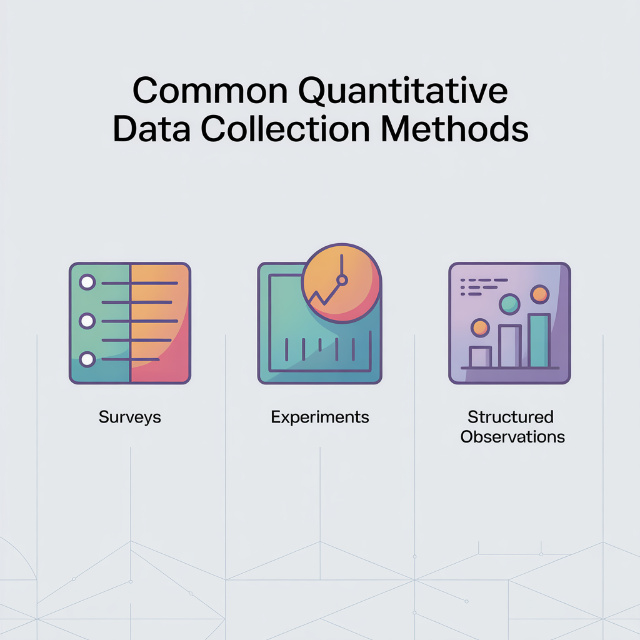
Statistical Analysis Techniques for Quantitative Research
This is where quantitative data analysis happens. Here are the essential techniques.
1. Descriptive Statistics
Descriptive statistics summarize and describe your data.
Measures of Central Tendency:
|
Measures of Variability:
|
Reporting Descriptive Statistics:
"Participants (N = 150) were 68% female, with a mean age of 22.4 years (SD = 3.1, range = 18-35). Mean stress score was 24.6 (SD = 6.8) on a scale from 10 to 50."
2. Inferential Statistics: Comparing Groups
Inferential statistics test hypotheses and make inferences about populations.
Independent Samples t-test
Purpose: Compare means of two independent groups
Example: Do males and females differ in stress levels?
Assumptions:
- Independent observations
- Normally distributed within groups
- Homogeneity of variance
SPSS: Analyze, Compare Means, Independent Samples T-Test
Reporting: "Males (M = 22.3, SD = 5.8) reported significantly lower stress than females (M = 26.4, SD = 6.2), t(148) = 3.45, p = .001, d = 0.68."
Paired Samples t-test
Purpose: Compare means of same group at two time points
Example: Did stress decrease from pre test to post test?
Assumptions:
- Paired observations
- Normally distributed difference scores
SPSS: Analyze, Compare Means, Paired Samples T-Test
One Way ANOVA (Analysis of Variance)
Purpose: Compare means of three or more groups
Example: Do freshmen, sophomores, juniors, and seniors differ in stress?
Post hoc tests:
- Tukey HSD: When equal sample sizes
- Games Howell: When unequal variances
- Bonferroni: Conservative, controls Type I error
SPSS: Analyze, Compare Means, One Way ANOVA
Reporting: "A one-way ANOVA revealed significant differences in stress by year, F(3, 146) = 5.82, p = .001, ?² = .11. Post-hoc Tukey tests showed seniors (M = 28.1) reported higher stress than freshmen (M = 22.4, p = .003) and sophomores (M = 23.7, p = .012)."
Two Way ANOVA
Purpose: Examine effects of two independent variables and their interaction
Example: Do gender and year in school affect stress? Is there an interaction?
SPSS: Analyze, General Linear Model, Univariate
Chi Square Test
Purpose: Test associations between categorical variables
Example: Is there a relationship between gender and major choice?
Assumptions:
- Independent observations
- Expected frequencies is greater than or equal to 5 in each cell
SPSS: Analyze, Descriptive Statistics, Crosstabs, Statistics, Chi square
Reporting: "There was a significant association between gender and major, ?²(3) = 12.45, p = .006, Cramér's V = .29."
3. Inferential Statistics: Examining Relationships
Pearson Correlation
Purpose: Measure strength and direction of linear relationship between two continuous variables
Correlation coefficient (r):
- Range: -1 to +1
- Interpretation:
- 0.1–0.3: Small
- 0.3–0.5: Medium
- 0.5–1.0: Large
Assumptions:
- Linear relationship
- Normally distributed
- No significant outliers
SPSS: Analyze, Correlate, Bivariate
Reporting: "There was a moderate positive correlation between study hours and GPA, r(148) = .42, p < .001."
| Remember: Correlation is not equal to causation |
Spearman Correlation
Purpose: Measure relationship for ordinal data or non normal distributions
Use when: Data is ranked or severely skewed
Simple Linear Regression
Purpose: Predict one variable from another
Provides:
- How much variance explained (R²)
- Prediction equation
- Significance of predictor
SPSS: Analyze, Regression, Linear
Reporting: "Study hours significantly predicted GPA, ? = .42, t(148) = 5.67, p < .001, explaining 18% of variance in GPA, R² = .18. For each additional hour of study, GPA increased by 0.15 points."
Multiple Regression
Purpose: Predict one variable from multiple predictors simultaneously
Advantages:
- Control for confounding variables
- Determine relative importance of predictors
- More realistic models
Types:
- Standard (simultaneous): All predictors entered at once
- Hierarchical: Enter predictors in blocks
- Stepwise: Software selects predictors (use cautiously)
SPSS: Analyze, Regression, Linear
Reporting: "Multiple regression showed that study hours (? = .35, p < .001) and sleep hours (? = .28, p = .003) significantly predicted GPA, F(2, 147) = 28.34, p < .001, R² = .28, explaining 28% of variance."
4. Checking Assumptions
Before running statistical tests, check assumptions:
Normality:
- Visual: Histogram, Q Q plot
- Statistical: Shapiro Wilk test (p > .05 = normal)
- If violated: Transform data or use non parametric tests
Homogeneity of variance:
- Levene's test (p > .05 = equal variances)
- If violated: Use Welch's correction or non parametric tests
Independence:
- Design based (e.g., each participant measured once)
- If violated: Use repeated measures or multilevel models
Linearity (for correlation/regression):
- Scatterplot should show linear pattern
- If violated: Transform variables or use non linear models
No multicollinearity (regression):
- VIF < 10 (preferably < 5)
- If violated: Remove correlated predictors
Non Parametric Alternatives:
When assumptions violated:
- Mann Whitney U (instead of t-test)
- Wilcoxon signed rank (instead of paired t-test)
- Kruskal Wallis (instead of ANOVA)
- Spearman correlation (instead of Pearson)
Don't Let Statistics Hold Up Your Research
Our Ph.D. statisticians handle everything, from choosing the right test to running analysis to interpreting results.
- Power analysis & sample size
- SPSS, R, SAS, Stata analysis
- Assumption checking
- APA formatted tables & figures
Available 24/7
Order Now
Quantitative Research Software and Tools
Statistical software is essential for quantitative research. Here's what you need to know.
1. SPSS (Most User Friendly)
Best for: Students, beginners, standard analyses
Pros:
- Point and click interface (no coding)
- Widely used in social sciences
- Excellent documentation and tutorials
- Produces APA formatted tables
- Handles data management well
Cons:
- Expensive ($100/month or $3,000+ perpetual license)
- Limited advanced modeling
- Less flexible than R
Common analyses:
- Descriptive statistics
- t-tests, ANOVA, chi square
- Correlation, regression
- Factor analysis
- Reliability analysis
Learning curve: Low (1-2 weeks for basics)
Where to learn: LinkedIn Learning, YouTube, university workshops
2. R (Most Powerful, Free)
Best for: Advanced analyses, data visualization, researchers with programming skills
Pros:
- Completely free and open source
- Unlimited statistical capabilities
- Beautiful visualizations (ggplot2)
- Reproducible research (R Markdown)
- Largest statistical community
Cons:
- Steep learning curve (requires coding)
- Can be frustrating for beginners
- Requires package management
Common analyses:
Everything SPSS does, plus:
- Advanced modeling (SEM, multilevel, machine learning)
- Publication quality graphics
- Automated reporting
Learning curve: Moderate High (2-3 months for proficiency)
Where to learn: DataCamp, Coursera, R for Data Science book
Essential packages:
- tidyverse (data manipulation)
- ggplot2 (visualization)
- psych (psychological research)
- lme4 (multilevel models)
3. SAS (Industry Standard)
Best for: Large datasets, complex analyses, industry research
Pros:
- Handles massive datasets
- Excellent for complex models
- Industry standard (healthcare, finance)
- Superior data management
- Strong technical support
Cons:
- Very expensive
- Steep learning curve
- Less intuitive interface
- Smaller academic user base
Learning curve: High (3-6 months)
4. Stata (Popular in Economics/Social Sciences)
Best for: Panel data, econometrics, social science research
Pros:
- Balance between SPSS and R
- Excellent for longitudinal data
- Good documentation
- Command based but learnable
- One time purchase
Cons:
- Expensive ($1,500–5,000)
- Steeper than SPSS
- Smaller user community than R/SPSS
Learning curve: Moderate (1-2 months)
5. Excel (Basic Statistics Only)
Best for: Simple descriptive statistics, data organization
Pros:
- Everyone has it
- Familiar interface
- Good for data entry and cleaning
- Basic statistics available
Cons:
- Limited statistical capabilities
- Not designed for research
- Easy to make errors
- Poor for large datasets
Use for:
- Data entry
- Basic descriptives (mean, SD)
- Simple correlations
- Pivot tables
Don't use for: Anything requiring inferential statistics
6. Choosing Software
Decision tree:
| Student on budget? R (free) or check if school has SPSS Beginner, need quick results? SPSS Advanced analyses, publication quality graphics? R Industry career focus? SAS or Stata Very basic analysis only? Excel acceptable |
Pro tip: Learn SPSS first for basics, then R for advanced work.
Complete Research Examples for Quantitative Research
Let's see quantitative research examples with strong methodology sections.
Example 1: Survey Research
Study: Relationship between social media use and anxiety Research Question: "Is there a relationship between daily social media use and anxiety levels among college students?" Methodology Excerpt: "This correlational study examined the relationship between social media use and anxiety in college students. Participants: 312 undergraduates (68% female, M age = 20.3, SD = 2.1) were recruited through psychology participant pool and campus flyers. Materials:
Procedure: After providing informed consent, participants completed the 15 minute survey online. Data was collected over two weeks during Fall 2025 semester. Data Analysis: Pearson correlations examined relationships between social media use and anxiety. Multiple regression controlled for gender and year in school. Assumptions were checked and met (normality via Shapiro Wilk, linearity via scatterplots). Results: Social media use was positively correlated with anxiety, r(310) = .34, p < .001. Multiple regression showed social media use significantly predicted anxiety (beta = .31, p < .001) controlling for gender and year, explaining 14% of variance, R² = .14, F(3, 308) = 16.82, p < .001." What made this strong:
|
Example 2: Experimental Research
Study: Effect of retrieval practice on retention Research Question: "Does retrieval practice improve long term retention compared to repeated study?" Methodology Excerpt: "This experimental study tested the effect of retrieval practice on retention using a between subjects design. Participants: 120 undergraduates (random assignment: 60 retrieval practice, 60 repeated study) recruited via participant pool. Power analysis indicated n = 54 per group needed to detect medium effect (d = 0.5) with 80% power, alpha = .05. Materials: Learning materials were 40 Swahili English word pairs. Retention test consisted of the 40 Swahili words with blank lines for English translations. Procedure:
Data Analysis: Independent samples t-test compared retention scores. Cohen's d calculated for effect size. Assumptions checked: Shapiro-Wilk test confirmed normality (p = .21), Levene's test confirmed equal variances (p = .34). Results: Retrieval practice group (M = 32.4, SD = 4.2) scored significantly higher than repeated study group (M = 26.8, SD = 5.1), t(118) = 6.42, p < .001, d = 1.18, representing a large effect size." What made this strong:
|
Example 3: Quasi Experimental Research
Study: Flipped classroom vs traditional lecture Research Question: "Does flipped classroom instruction improve exam performance compared to traditional lecture?" Methodology Excerpt: "This quasi experimental study compared exam performance between flipped and traditional classroom formats. Participants: 156 students enrolled in Introduction to Psychology sections (78 per section). Sections were pre existing (no random assignment). Groups did not differ significantly in age, gender, or prior GPA (all p > .10). Procedure:
Measures: Four multiple choice exams (25 questions each) across semester. Final grade was average of four exams. Data Analysis: Independent samples t-test compared average exam scores. ANCOVA controlled for prior GPA. Eta-squared calculated for effect size. Results: Flipped classroom (M = 82.6, SD = 8.1) outperformed traditional (M = 77.3, SD = 9.4), t(154) = 3.78, p < .001, d = 0.61. ANCOVA controlling for prior GPA confirmed significant difference, F(1, 153) = 12.34, p = .001, eta² = .08." What made this strong:
|
Common Challenges (And Solutions) for Quantitative Research
Every quantitative researcher faces these challenges. Here's how to solve them.
Challenge 1: Determining Sample Size
The Problem: "How many participants do I need?"
Solutions:
- Always conduct power analysis using G*Power
- Report power analysis in methodology
- Consider practical constraints (time, money, access)
- Err on side of larger sample when possible
- If sample ends up smaller, acknowledge as limitation
Quick reference:
- Small effects require 300+ participants
- Medium effects require 60–85 participants
- Large effects require 25–30 participants
Challenge 2: Low Response Rates
The Problem: 10-20% response rate undermines generalizability.
Solutions:
- Multiple contacts: Initial invite + 3–4 reminders
- Incentives: Even small ($5) increases response
- Personalization: Use names, explain why they specifically were selected
- Timing: Send mid week, mid morning
- Emphasis: Stress importance and how long it takes
- Mobil friendly: Most people check email on phones
Target: 30-40% response rate minimum
Challenge 3: Choosing the Right Statistical Test
The Problem: "Which test do I use?"
Solutions:
Decision tree:
|
Still unsure? Consult statistics textbook decision tree or ask advisor.
Challenge 4: Dealing with Missing Data
The Problem: Participants skip questions or drop out.
Solutions:
Prevention:
- Make all survey questions required (except sensitive items)
- Keep surveys short
- Provide “prefer not to answer” option
After the fact:
- < 5% missing: Listwise deletion acceptable
- 5–20% missing: Check if missing at random, consider imputation
- 20% missing: Results may be biased, report as limitation
Analysis options:
- Listwise deletion (delete entire case)
- Pairwise deletion (use available data)
- Mean substitution (replace with variable mean – not recommended)
- Multiple imputation (advanced, best practice)
Challenge 5: Non Normal Data
The Problem: Data is severely skewed, violates normality assumption.
Solutions:
Check severity:
- Shapiro–Wilk test (p < .05 = non normal)
- Visual inspection (histogram, Q–Q plot)
- Skewness and kurtosis values
Options:
- Transform data: Log, square root, or reciprocal transformation
- Use non parametric tests: Mann–Whitney U, Kruskal–Wallis
- Increase sample size: Central limit theorem (n > 30 helps)
- Accept violation: t-tests and ANOVA fairly robust to mild violations
Report: "Data was log-transformed to correct positive skew before analysis."
Stuck on statistical analysis or need help interpreting results? Our trusted essay writing service provides personalized support, from SPSS tutorials to complete analysis with interpretation. Get help when you need it most.
Challenge 6: Interpreting Non Significant Results
The Problem: p > .05, but you expected significance.
Possible reasons:
- Insufficient power (sample too small)
- No real effect exists (null is true)
- Poor measurement (unreliable instruments)
- Too much variability (large standard deviations)
What to do:
- Check power post hoc
- Examine effect size (maybe effect exists but is small)
- Don’t p hack (run multiple tests until something is significant)
- Report honestly and discuss implications
Remember: Non-significant results are still findings worth reporting.
Challenge 7: Meeting SPSS/Software Requirements
The Problem: Never used statistical software before.
Solutions:
For SPSS:
- Start with YouTube tutorials (“SPSS for beginners”)
- Use built in tutorials (Help, Tutorial)
- Practice with sample datasets
- Ask for help early (advisor, stats consultant, classmates)
For R:
- Start with RStudio
- Follow DataCamp or Coursera courses
- Practice with tidyverse packages
- Join R community (Stack Overflow, R for Data Science)
General tip: Start simple (descriptive statistics) and build up to complex analyses.
Need Help With Statistical Analysis?
Our Ph.D. statisticians handle everything, survey design, power analysis, SPSS/R analysis, and APA formatted results sections.
- Power analysis & sample size calculation
- Survey design & validation
- Complete statistical analysis (SPSS, R, SAS, Stata)
- Assumption checking
Free revisions until you're satisfied. Most projects completed in 24-48 hours.
Order NowBottom Line
Conducting quantitative research requires careful planning, rigorous execution, and appropriate statistical analysis. The key is matching your research design to your question, collecting high quality data, and analyzing it with the right statistical tools.
Remember:
- Power analysis determines your sample size
- Valid, reliable instruments are essential
- Random sampling enables generalization
- Check assumptions before running tests
- Effect sizes matter more than p-values
- Statistical significance is not equal to practical importance
- Software helps, but understanding statistics is crucial
Whether you execute quantitative research yourself or get expert support, the goal is producing valid, reliable findings that advance knowledge.
For broader methodology context, see our research methodology guide.
Good luck with your quantitative research!