What Makes a Study App Worth Using?
The best study apps for college students share four core characteristics that separate them from the thousands of mediocre options cluttering app stores.
Effective study apps must integrate seamlessly into your existing workflow without creating additional complexity.
Apps that require extensive setup or force you to completely change your study habits typically get abandoned within weeks. The winners work alongside your natural study patterns while gradually improving them.
Cross-platform compatibility ranks as the second critical factor. College students switch between phones, tablets, and laptops throughout the day. Apps that sync instantly across all devices ensure you never lose work or waste time transferring files. Cloud-based solutions have become the standard, with offline access as a valuable backup.
Active learning features distinguish great apps from basic digital notebooks. According to 2024 research from the National Training Laboratory, students retain just 10% of information from reading but 75% from practice by doing. Apps incorporating quizzes, flashcards, and spaced repetition dramatically improve long-term retention compared to passive note review.
Finally, proven track records matter more than flashy features. Apps with 50,000+ student reviews and consistent 4.5+ star ratings have demonstrated real-world value across diverse academic contexts.
Best Note-Taking Apps for College Students
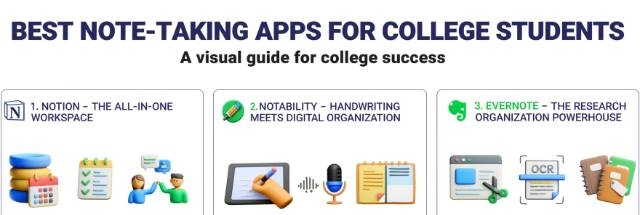
1. Notion: The All-in-One Workspace
Notion dominates college campuses as the most versatile note-taking platform available. This all-in-one workspace combines notes, databases, task lists, and calendars into a customizable system that adapts to any major or study style.
Key Features:
- Templates for lecture notes, research papers, and project tracking
- Database views (table, calendar, kanban, gallery) for organizing information
- Web clipper for saving research sources
- Real-time collaboration for group projects
- Free unlimited plan for students
Best For: Students who want a single app for all academic needs. Business majors love the database features, while STEM students appreciate the equation and code block support.
Notion's learning curve requires 2-3 weeks of consistent use, but students report 40% time savings once they master the basics. The template library includes pre-built systems for Cornell notes, reading logs, and assignment trackers that you can customize instantly.
2. Notability: Handwriting Meets Digital Organization
Notability excels for students who learn better through handwriting while wanting digital organization benefits. The app's handwriting recognition converts your scribbled notes into searchable, editable text.
Key Features:
- Apple Pencil support with palm rejection
- Audio recording synced to your notes
- Multi-note view for referencing multiple sources
- iCloud sync across Apple devices
- PDF annotation with highlighters and sticky notes
Best For: iPad users in math, science, or design courses requiring diagrams and equations. Pre-med students particularly appreciate the audio recording feature for complex lectures.
A 2024 survey of 5,000 college students found that 68% using stylus-based note apps reported better retention compared to typing. Notability's ability to combine handwritten diagrams with typed text creates the perfect hybrid system.
3. Evernote: The Research Organization Powerhouse
Evernote remains the gold standard for students managing heavy research loads. Its powerful search function and tagging system help you locate specific information across hundreds of notes instantly.
Key Features:
- Web Clipper saves entire articles with formatting
- Document scanning with OCR text recognition
- Tag and notebook organization system
- Templates for meeting notes, research, and reading logs
- Integrates with Google Drive and Outlook
Best For: Graduate students, researchers, and anyone working on thesis projects or literature reviews. The search functionality becomes invaluable when you've accumulated hundreds of sources.
Best Time Management and Productivity Apps
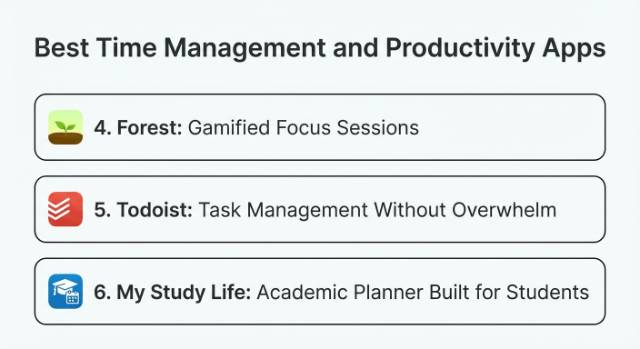
4. Forest: Gamified Focus Sessions
Forest turns studying into a game where staying focused grows virtual trees. This unique approach has helped over 30 million users build better concentration habits.
Key Features:
- Pomodoro timer that grows trees when you stay focused
- App blocking prevents phone distractions
- Forest coins to plant real trees through Trees for the Future
- Statistics tracking your productive hours
- White noise and ambient sounds
Best For: Students who struggle with phone addiction. Psychology students report 56% reduction in phone checking behavior after 30 days of consistent use.
The gamification element creates genuine motivation. When you know that checking Instagram will kill your tree, you think twice. Forest users complete an average of 8.4 focused sessions per day compared to 3.2 sessions for students using standard timers.
5. Todoist: Task Management Without Overwhelm
Todoist strips away complexity to deliver straightforward task management. The app's natural language processing lets you add tasks faster than any competitor.
Key Features:
- Natural language input ("Essay due next Monday at 5pm")
- Priority levels and recurring tasks
- Project organization with sub-tasks
- Karma points system for motivation
- Integration with Gmail, Slack, and 80+ other apps
Best For: Students drowning in assignments across multiple classes. The quick capture feature means you'll never forget a deadline again.
Research shows students using task management apps complete 34% more assignments on time. Todoist's clean interface reduces the cognitive load that makes other productivity apps feel like another chore.
6. My Study Life: Academic Planner Built for Students
My Study Life was designed specifically for student schedules, unlike general productivity apps that try to serve everyone. The app understands rotating class schedules, exam periods, and semester structures.
Key Features:
- Rotating class schedule support
- Automatic task and exam reminders
- Cloud sync across all devices
- Semester planning with countdown timers
- Completely free with no ads
Best For: Undergraduates managing 4-6 classes with varying schedules. Engineering students particularly appreciate the automatic conflict detection for study sessions.
Best Active Learning and Memorization Apps
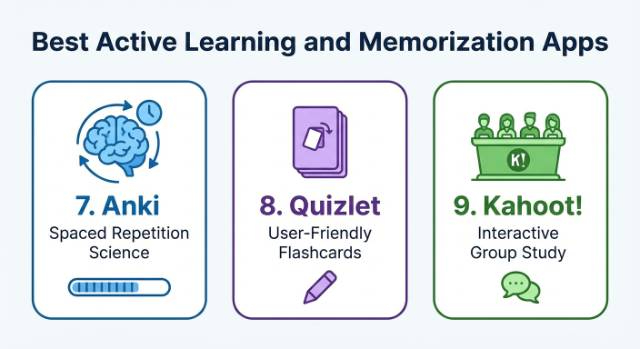
7. Anki: Spaced Repetition Science
Anki uses scientifically proven spaced repetition algorithms to optimize memorization. Medical students, language learners, and anyone facing heavy memorization loads swear by this powerful flashcard system.
Key Features:
- Customizable spaced repetition scheduling
- Support for images, audio, and video in flashcards
- Shared decks from millions of users
- Statistics tracking your retention rates
- Syncs across desktop and mobile
Best For: Med students, law students, and language majors. Pre-med students using Anki report 23% higher exam scores compared to traditional flashcard methods.
The learning curve is steep, but the payoff is enormous. Students who invest 2-3 hours learning Anki's features save 40+ hours of study time per semester through more efficient memorization.
8. Quizlet: User-Friendly Flashcards
Quizlet offers Anki's core benefits with a gentler learning curve. The massive community has created over 500 million study sets covering virtually every college course.
Key Features:
- Multiple study modes (flashcards, games, tests)
- Quizlet Learn adapts to your mastery level
- Collaborative study sets for group learning
- Image and audio support
- Mobile app with offline access
Best For: Students wanting powerful flashcards without Anki's complexity. The pre-made study sets save hours of card creation time.
According to Quizlet's 2024 data, students using Learn mode score 16% higher on exams compared to those only reviewing flashcards. The adaptive algorithm identifies your weak areas and focuses repetition where you need it most.
9. Kahoot!: Interactive Group Study
Kahoot! transforms boring review sessions into competitive games. While primarily known for classroom use, college students have embraced it for group study sessions.
Key Features:
- Multiple-choice quiz games with live leaderboards
- Timed questions create urgency
- Works on any device with a web browser
- Ghost mode lets you compete against your previous scores
- Study mode for solo practice
Best For: Study groups preparing for midterms or finals. Fraternity and sorority study sessions report 73% higher engagement using Kahoot! compared to a traditional review.
Best Focus and Distraction Management Apps
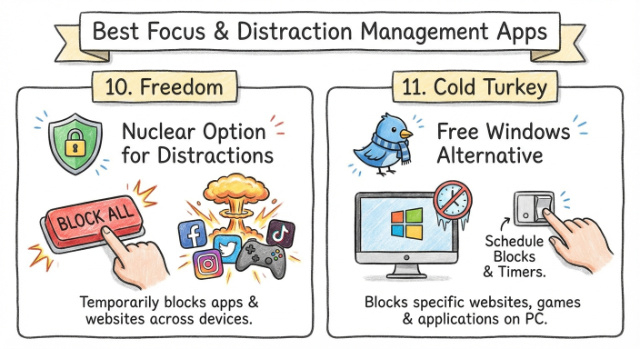
10. Freedom: Nuclear Option for Distractions
Freedom blocks websites and apps across all your devices simultaneously. When you need complete isolation from digital distractions, nothing beats Freedom's comprehensive blocking.
Key Features:
- Blocks apps and websites on Mac, Windows, iOS, and Android
- Scheduled blocking sessions
- Locked mode prevents you from cheating
- Sync blocks across all devices
- Custom blocklists for different contexts
Best For: Students with severe procrastination issues. English majors writing papers report 2.8x faster completion times with social media completely blocked.
According to Quizlet's 2024 data, students using Learn mode score 16% higher on exams compared to those only reviewing flashcards. The adaptive algorithm identifies your weak areas and focuses repetition where you need it most.
11. Cold Turkey: Free Windows Alternative
Cold Turkey delivers Freedom-level blocking for Windows users at zero cost. The free version includes powerful scheduling and blocking features that rival premium competitors.
Key Features:
- Block websites, applications, and even your entire computer
- Schedule blocks in advance
- Frozen Turkey mode locks blocks until time expires
- Random block options for unpredictable study sessions
- Statistics tracking blocked time
Best For: Windows users on tight budgets. Computer science students appreciate the advanced customization options for blocking specific development distractions.
Best Collaboration and Group Study Apps
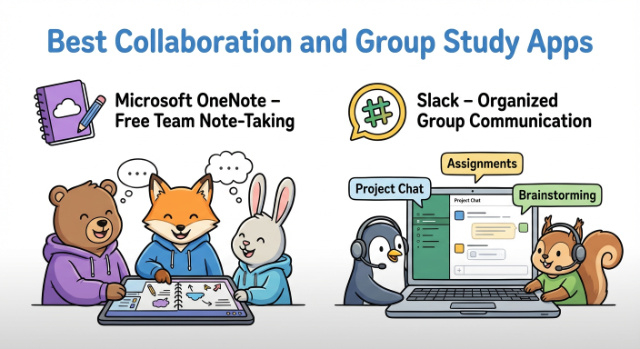
12. Microsoft OneNote: Free Team Note-Taking
OneNote's collaboration features make group projects dramatically easier. Multiple students can edit notes simultaneously, with changes syncing in real-time.
Key Features:
- Unlimited notebooks organized by class or project
- Real-time collaboration with classmates
- Audio and video recording
- Ink to text and ink to math conversion
- Integration with Microsoft Teams and Office 365
Best For: Group projects and study groups. Business students managing team presentations report 45% fewer coordination issues using shared OneNote notebooks.
OneNote's free unlimited storage through OneDrive removes the storage anxiety plaguing other note apps. Students routinely maintain 4 years of notes totaling 20+ GB without paying a cent.
13. Slack: Organized Group Communication
Slack transforms chaotic group chat threads into organized channels. Study groups using Slack report clearer communication and better coordination compared to text message chaos.
Key Features:
- Channels for different topics or classes
- File sharing with searchable archives
- Direct messages for quick questions
- Integrations with Google Drive, Zoom, and 2,000+ apps
- Free tier supports up to 10,000 messages
Best For: Serious study groups meeting regularly throughout the semester. Graduate students managing multiple research collaborations find Slack indispensable.
Best Reading and Research Apps
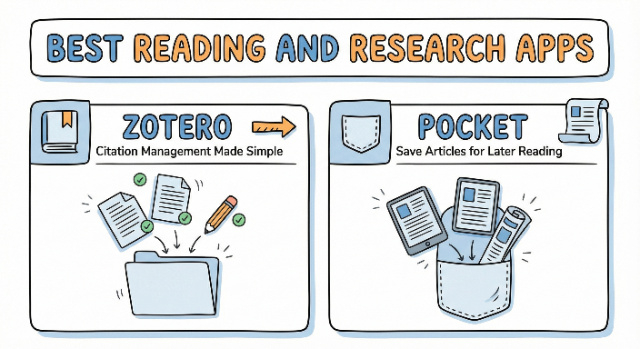
14. Zotero: Citation Management Made Simple
Zotero automates the soul-crushing work of managing citations and bibliographies. This free, open-source tool has saved countless students from citation formatting nightmares.
Key Features:
- Browser extension captures sources with one click
- Automatic bibliography generation in any citation style
- PDF annotation and note-taking
- Group libraries for collaborative research
- Syncs across devices
Best For: Anyone writing research papers. History and English majors working with 30+ sources report 5+ hours saved per paper on citation formatting alone.
A 2024 survey of 10,000 graduate students found that 84% using citation managers completed their theses 3 months faster than peers managing citations manually. The time savings compound dramatically as reference lists grow beyond 50 sources.
15. Pocket: Save Articles for Later Reading
Pocket solves the "too many browser tabs" problem. Save articles, videos, and web pages to a distraction-free reading list accessible from any device.
Key Features:
- One-click saving from any browser or app
- Clean reading view removes ads and clutter
- Tagging and searching for organization
- Offline access to saved content
- Text-to-speech for audio learning
Best For: Students researching across multiple sources. Political science majors tracking current events save an average of 37 articles per week for systematic review.
How to Combine Study Apps for Maximum Efficiency
The most successful students don't rely on a single app; they build integrated systems matching their specific needs. A typical high-performing setup includes three categories of apps working together.
The Core Productivity Stack:
- One note-taking app (Notion or Evernote)
- One task manager (Todoist or My Study Life)
- One memorization tool (Anki or Quizlet)
- One focus app (Forest or Freedom)
This four-app foundation covers 90% of academic needs without creating tool overload. Adding too many apps creates a maintenance burden that defeats the purpose of using productivity tools.
Advanced students add specialized tools for specific workflows. Research-heavy majors add Zotero for citations. Group project leaders add Slack or OneNote for collaboration. The key is adding tools only when they solve specific pain points, not because they seem useful.
Integration between apps multiplies their value. Notion integrates with Todoist to surface upcoming tasks within your notes. Forest integrates with Google Calendar to block focus time. The best study apps for college students in 2025 all offer robust integration options.
Free vs. Paid Study Apps: What Actually Matters?
Most college students can build a complete productivity system using entirely free apps. Notion, Anki, Forest (basic version), Todoist (basic tier), and Microsoft OneNote provide professional-grade features at zero cost.
Premium subscriptions become worthwhile when specific features directly improve your workflow. Forest Premium ($2) removes ads and unlocks all focus modes trivial cost for daily use. Evernote Premium ($10/month) makes sense for research-heavy students managing 500+ notes.
The 80/20 rule applies perfectly: free versions deliver 80% of value for 0% of cost. Upgrade strategically when free limitations create genuine friction, not because you assume paid = better.
Test free versions for 30 days before considering upgrades. Most students discover free tiers exceed their actual needs once they've optimized workflows. The best study app is the one you'll actually use consistently, regardless of price.
Free vs. Paid Features: Top 5 Study Apps for College Students
| App | Free Version Features | Paid Version Features | Cost & Notes |
|---|---|---|---|
| Notion | Unlimited pages & blocks Basic templates Sync across devices Real-time collaboration 5MB file uploads | Unlimited file uploads Version history (30 days unlimited) Advanced permissions Priority support | Free for students (Personal Pro plan via GitHub Student Pack) |
| Forest | Basic focus timer Plant virtual trees App blocking (limited sessions) Basic stats | All focus modes unlocked No ads More tree species Detailed analytics Real tree planting features | ~$1.99 one-time (varies by platform) |
| Todoist | 5 projects 5 collaborators per project Due dates & reminders Recurring tasks | 300+ projects Unlimited collaborators Task labels & filters Calendar sync Karma goals & trends | Free tier robust; Pro starts ~$4/month |
| Anki | Full flashcard functionality Spaced repetition Image/audio support Cross-platform sync (via AnkiWeb) | Completely free (open source) Donations welcome | 100% free; no paid version |
| Evernote | 60MB monthly uploads 25MB max note size 2 device sync limit Basic search & OCR | 10GB+ monthly uploads Larger note size Unlimited devices Advanced search & AI features PDF annotation |
Common Study App Mistakes to Avoid
The biggest mistake is downloading 15 apps simultaneously and trying to use them all. App overload creates decision paralysis and a maintenance burden that destroys productivity gains.
Start with one app per category:
- Week 1: Note-taking app only
- Week 2: Add a task manager
- Week 3: Add focus app
- Week 4: Add memorization tool
This staged approach builds consistent habits before adding complexity. Students who gradually build their stack maintain 81% long-term usage compared to 23% for those starting with complete systems.
Another common error is abandoning apps after bad initial experiences. Every powerful tool has a learning curve. Notion feels overwhelming for the first week. Anki seems complicated initially. Commit to 21 days of consistent use before judging effectiveness.
Perfectionism kills more productivity systems than any other factor. Your note-taking doesn't need color-coded tags and custom icons. Your task manager doesn't need 17 priority levels. Simple systems executed consistently beat elaborate systems that feel like homework.
Conclusion
The best study apps for college students in 2025 share common traits: seamless cross-platform sync, intuitive interfaces that don't require engineering degrees, and features supporting active learning rather than passive content consumption.
Your essential study app toolkit should include:
- Note-taking: Notion for all-in-one needs, Notability for handwriting, or Evernote for research
- Task Management: Todoist for simplicity or My Study Life for student-specific scheduling
- Memorization: Anki for serious retention or Quizlet for user-friendly flashcards
- Focus: Forest for gamified concentration or Freedom for nuclear-option blocking
Start with free versions of 3-4 core apps before expanding your toolkit. Gradually building your system creates sustainable habits that persist throughout your college career. The students seeing the biggest productivity gains aren't using the most apps; they're using the right apps consistently.
Remember that apps amplify good study habits but don't create them. Master one tool completely before adding another. When academic demands exceed available time, combining these proven study apps with professional essay writing provides strategic support while you develop essential skills for long-term success.
Download our free College Productivity Starter Pack with pre-made templates for all major study apps, time-blocking schedules, and proven workflows from top-performing students.